Uploading Data
These instructions will guide you on how to upload data to EMBER-DANDI.
Prerequisites
Please ensure that your data is formatted using NWB and BIDS before attempting to upload to EMBER-DANDI
My files are in a mix of standards or I have not used standards
Please contact the EMBER team at help@emberarchive.org to facilitate data ingestion into EMBER-DANDI. We are also happy to add you to our Slack workspace.
Below, we have provided one set of instructions for users that are new to EMBER-DANDI, and one set for experienced users. Please follow whichever best fits your needs:
- I've used DANDI or CLI tools before
- I'm new to Python, CLI, and/or DANDI
- Learn how to set up Python, install the DANDI Client, and use NWB
Instructions for Experienced Users
The following is a quick reference of the steps for uploading data using the DANDI Client:
dandi download https://dandi.emberarchive.org/dandiset/<dandiset_id>/draft
cd <dandiset_id>
dandi organize <source_folder> -f dry
dandi organize <source_folder>
dandi validate .
dandi upload -i ember-dandi
Instructions for New Users
Install Python and the DANDI Client
In these instructions, you will install Python 3.9+ and then install the DANDI Python Client.
Install Python
If you're new to Python, it may be useful to start by checking out Python's Getting Started page There are many ways to install and use Python, so we've highlighted a few common ways to get started below.
Install the DANDI Client
Once you've gotten up and running with Python, the following command will install the DANDI Client:
pip install -U dandi
More Information
For more detailed information on the DANDI Python Client, please refer to the following resources:
Getting Started with NWB
For the latest information on NWB (Neurodata Without Borders), we recommend referring to their documentation at nwb.org!
Below, you will find a brief set of steps to help you quickly get started with NWB.
- We recommended installing the NWB Guide, a desktop application that converts common neuroscience data formats into NWB to enable uploading to EMBER-DANDI.
- Complete key tutorials for NWB GUIDE:
- Generate a dataset
- Convert a single session of data
- Convert a multi-session of data
- Repeat steps with your own your data
- Important Note: All data formats are not currently supported! Ensure your data is supported by checking the ecosystem compatibility
Create an EMBER-DANDI dandiset
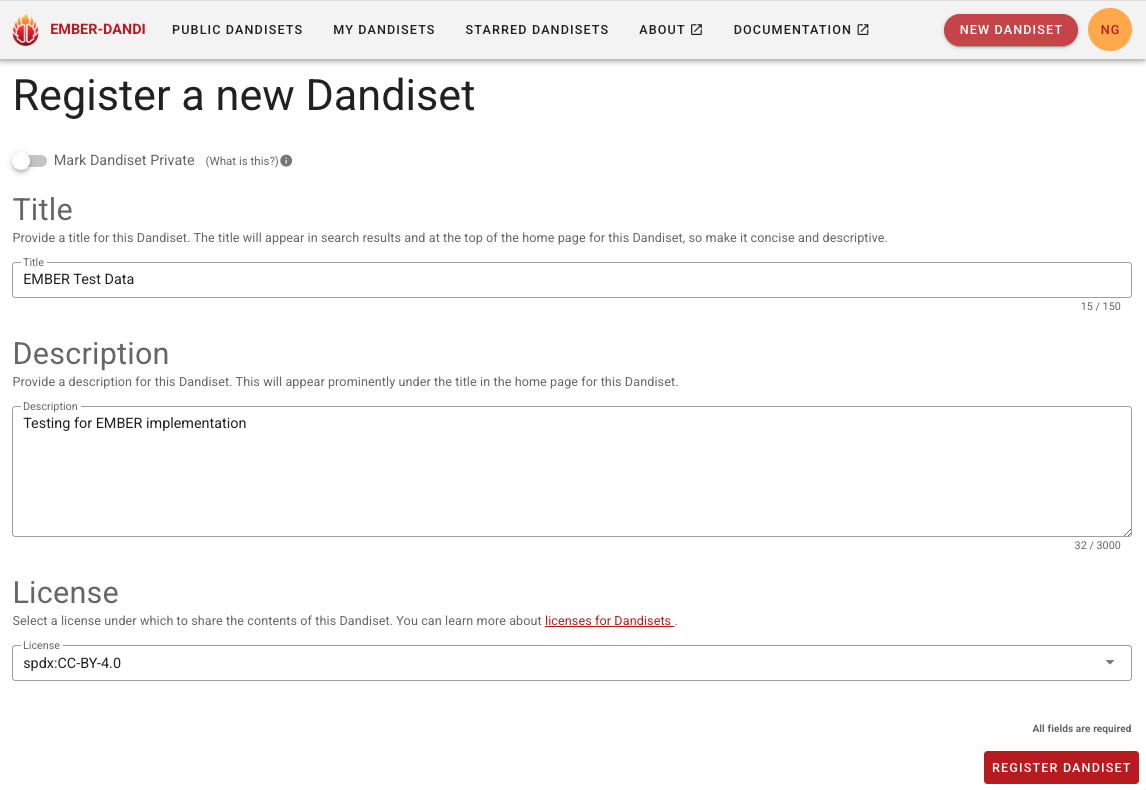
- Log in to EMBER-DANDI with your approved GitHub account
- Select the "New Dandiset" button in the top right corner
- Fill out basic metadata and hit "Register Dandiset"
- Note that you can set your dataset to be private (embargoed) by selecting the toggle at the top. You'll be asked to set a date for the embargo to be released.
Upload data to your dandiset
-
Validate your converted files, replacing
<source_folder>with the path to your .nwb files:dandi validate --ignore DANDI.NO_DANDISET_FOUND <source_folder> -
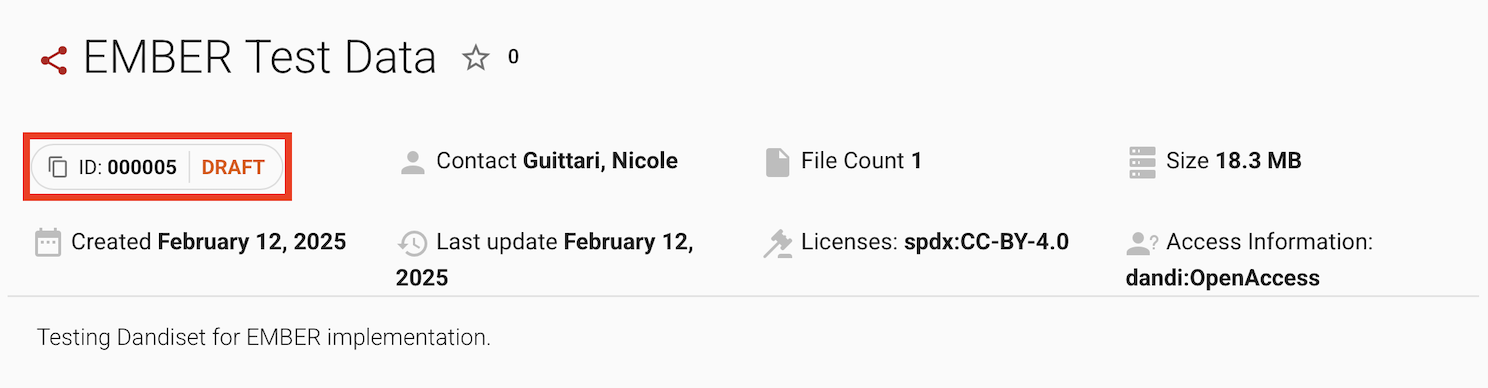
Navigate to your dandiset on EMBER-DANDI and copy the dandiset ID number
-
Upload your validated .nwb files using the following commands, replacing
<dandiset_id>and<source_folder>with your specific information:4. You can publish your dataset at any point by either clicking "Publish" on a draft dandiset, or "Unembargo" and then "Publish".dandi download https://dandi.emberarchive.org/dandiset/<dandiset_id>/draft cd <dandiset_id> dandi organize <source_folder> -f dry dandi organize <source_folder> dandi validate . dandi upload -i ember-dandi
Uploading Video Files
If using video files, replace dandi organize "source folder" with
dandi organize --update-external-file-paths --files-mode copy /path/to/source_folder
Password Prompt
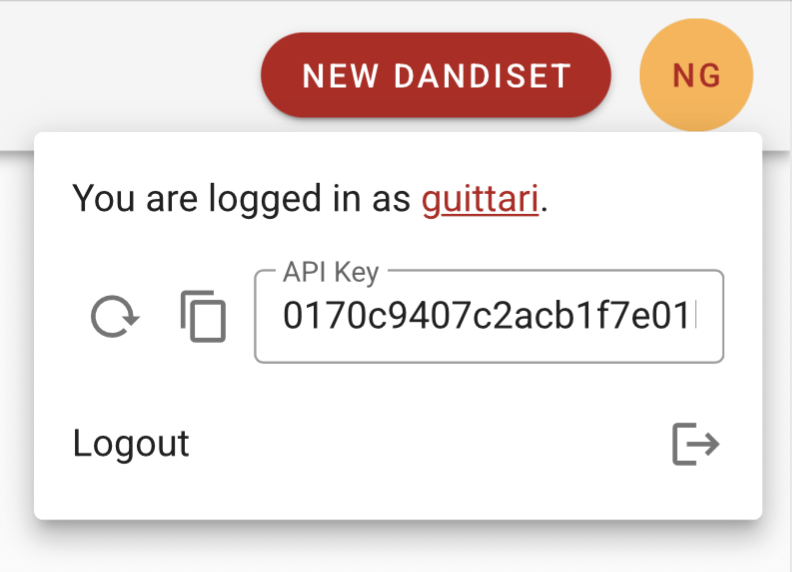
If this is your first upload, you may get a prompt to enter a password. In the EMBER-DANDI Portal, click on your user icon in the top right to retrieve your API key. Enter this when prompted for your password.